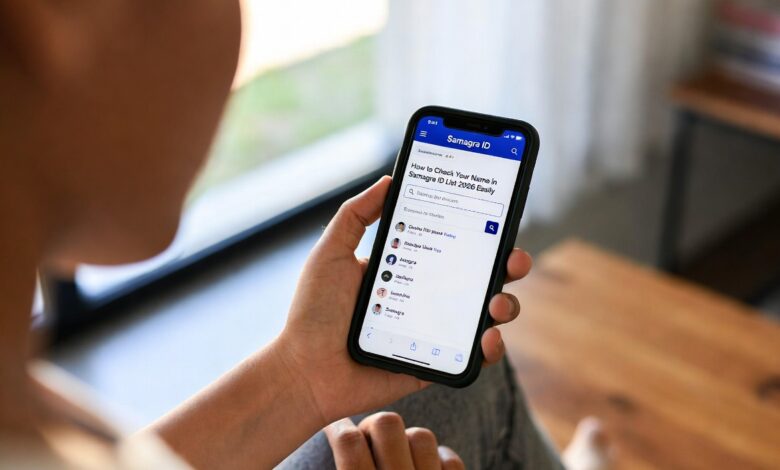
Have you ever felt like government paperwork is a never-ending maze? We have all been there, standing in long lines just to prove who we are. In Madhya Pradesh, that struggle is becoming a thing of the past thanks to the Samagra ID. Think of it as a digital key that opens the door to almost every state benefit you can imagine. Whether it is school admissions for your kids or receiving a pension, this little number is your best friend.
Getting your samagra id is like joining a huge digital family. It helps the government know exactly who needs help and ensures that the right benefits reach the right people without any middlemen. I remember helping my neighbor, Ramesh Kaka, find his ID last year. He was worried it would take weeks, but we did it online in minutes! In this guide, I’ll show you exactly how to navigate the portal and check the samagra id list like a pro.
What Exactly is a Samagra ID?
At its heart, a Samagra ID is a unique identification number given to residents of Madhya Pradesh. It comes in two flavors: a 8-digit Family ID for the whole household and a 9-digit Member ID for each person. It’s not just a random string of numbers; it’s a verified record of your existence in the state’s social security system.
When you have a samagra id, you don’t have to carry a bag full of documents everywhere. From getting ration at the local shop to applying for a scholarship, this ID acts as your primary proof. It’s designed to bring transparency, meaning no one can “steal” your benefits because everything is linked to your unique profile.
Important Details About Samagra ID
| Feature | Information |
| Full Name | Samagra Social Security Mission (SSSM) |
| State | Madhya Pradesh |
| Family ID Length | 8 Digits |
| Individual ID Length | 9 Digits |
| Official Portal | samagra.gov.in |
| Primary Use | Welfare Schemes, Ration, Pensions |
| KYC Method | Aadhaar-based OTP or Fingerprint |
How to Find Your Name in the Samagra ID List
Checking the samagra id list is the first step if you aren’t sure whether your family is registered. The portal is very user-friendly, and you can search for your details in several ways. You don’t need to be a computer expert to do this!
To see the samagra id list, you can search by your name, your mobile number, or even your Aadhaar card. If you are looking for your entire ward or village’s list, the portal allows you to filter by district and local body. This is very helpful if you want to confirm that all your family members are correctly added to the system.
Step-by-Step: How to Get Your Samagra ID
If you find that your name is missing from the samagra id list, don’t panic. Registering is simpler than it used to be. You can do it from a kiosk or even from your smartphone if you’re feeling tech-savvy.
- Visit the Website: Go to the official Samagra portal.
- Choose Registration: Look for the “Register Family” option.
- Fill Details: Enter the head of the family’s info and then add other members.
- Upload Documents: You’ll need things like your Aadhaar or a birth certificate.
- Submit: Once you hit submit, a local official will verify the details.
Why You Must Link Your Aadhaar (eKYC)
In 2026, having a samagra id isn’t enough; it needs to be “Active.” This happens through a process called eKYC. By linking your Aadhaar to your samagra id, you prove that you are a real person. This prevents fraud and makes sure the money goes straight to your bank account via Direct Benefit Transfer (DBT).
I always tell people: “Keep your mobile number linked to Aadhaar!” If your phone number is current, you can finish your samagra id eKYC in two minutes using an OTP. If your number has changed, you might need to visit a nearby CSC center to use a fingerprint scanner instead.
Printing and Downloading Your Samagra Card
Once your name appears on the samagra id list, you should keep a physical copy of your card. Many offices still ask for a printout. Downloading it is totally free and can be done anytime.
Simply navigate to the “Print Samagra Family Card” section on the portal. Enter your 8-digit family code, and your card will pop up on the screen. You can save it as a PDF on your phone or print it out. I recommend keeping a digital copy in your Google Drive or WhatsApp so you always have it handy when needed.
Benefits of Being on the Samagra ID List
Being part of the samagra id system opens up a world of opportunities. The state government uses this data to decide who gets free school uniforms, subsidized food, and medical help. It’s like a VIP pass for government services.
- Ration Card: Easily get your food grains from the PDS shop.
- Scholarships: Students get their money faster without visiting offices.
- Pensions: Elderly citizens get their monthly support directly.
- Marriage Support: Schemes like the Kanya Vivah Yojana require this ID.
How to Update Your Details Online
Sometimes, there’s a mistake in the samagra id list. Maybe a name is spelled wrong or a birth date is incorrect. In the old days, you’d have to run to the Tehsil office. Now, you can request an update online!
You can change your name, gender, or date of birth by uploading a supporting document like a 10th-grade mark sheet or a PAN card. Once you request a change, it usually takes about 7 to 15 days for a local official to approve it. Just make sure the document you upload is clear, or they might reject the request.
Adding a New Family Member
Did you just have a baby or get married? Congratulations! You need to add the new member to your samagra id family group. This ensures they start getting benefits right away.
To add someone, you’ll need their birth certificate or marriage certificate. You enter their details under your existing family ID. It’s important to do this quickly so the new member can be included in the official samagra id list for things like health insurance or school enrollment.
Samagra ID for Farmers: The Bhumi Link
If you own land in Madhya Pradesh, there is a special update you need to know about. The government now asks farmers to link their land records (Khasra) with their samagra id.
This “Bhumi Link” makes it easier to sell crops at government centers and receive PM-Kisan or state farmer benefits. It’s a great way to ensure that only the real landowner gets the money. If you haven’t done this yet, check the portal’s “Khasra eKYC” section today.
Common Problems and How to Fix Them
Sometimes the website might be slow, or your samagra id might show “Pending.” Don’t worry; this is usually because many people are using the site at once. If your eKYC is failing, check if your Aadhaar name matches your Samagra name exactly.
If you lose your ID number, you can find it using your registered mobile number. The portal has a “Search by Mobile” tool that is a lifesaver. If all else fails, a quick trip to your local Janpad Panchayat or Ward office will solve the problem.
Conclusion: Take Control of Your Digital Identity
The samagra id is more than just a number; it is a tool that empowers every citizen of Madhya Pradesh. By ensuring your name is correctly on the samagra id list and your eKYC is complete, you are securing your family’s future. It makes life simpler, faster, and much more transparent.
So, what are you waiting for? Head over to the portal, check your status, and make sure your details are up to date. It’s a small step that brings a huge peace of mind.
Frequently Asked Questions (FAQs)
1. Is the Samagra ID and Family ID the same thing?
Not exactly. The Family ID is an 8-digit code for the whole house, while the samagra id for a person (Member ID) is 9 digits long. You need both for different services.
2. Can I have two Samagra IDs?
No, that is not allowed. Each person should only have one unique ID. Having duplicates can lead to your benefits being canceled.
3. What documents do I need for registration?
Usually, an Aadhaar card is enough. However, you can also use a Voter ID, Ration Card, or a 10th-grade mark sheet to prove your identity.
4. How long does it take for eKYC to be approved?
If you use the OTP method, it is often updated very quickly. However, final approval from the local ward or village office can take a few days.
5. Can I find my Samagra ID by name?
Yes! You can search the samagra id list by entering your name, district, and local body on the official website. It’s very helpful if you’ve forgotten your number.
6. Why is my Samagra ID not working for my child’s school admission?
Check if the child’s eKYC is complete. Many schools now require the samagra id to be linked with Aadhaar to verify the student’s age and address.