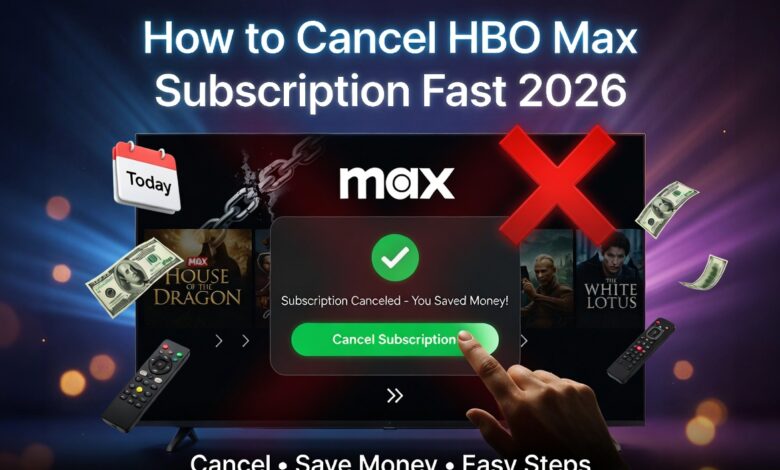
Many people love watching great movies. But sometimes, you need to save money or take a break. If you want to cancel HBO Max subscription plans, you are in the right place. Maybe you finished your favorite show. Or maybe you want to try a different streaming app. Whatever the reason, ending your plan should be simple. In this guide, we will show you exactly how to do it. We use easy steps that anyone can follow. You do not need to be a tech expert to get this done today.
Why People Choose to Cancel HBO Max Subscription
There are many reasons to stop a monthly service. Some users find they are not watching enough TV lately. Others want to cut down on their monthly bills. When you cancel HBO Max subscription tiers, you stop the automatic payments. It is a smart way to manage your budget. I have done this myself when my favorite series ended. It felt great to see that extra money stay in my bank account. You can always come back later if a new hit movie comes out.
How to Cancel on a Desktop Computer
Using a computer is one of the easiest ways to manage your account. First, open your web browser and go to the official Max website. Log in with your email and password. Click on your profile icon in the top corner. Look for the “Settings” menu and find the “Subscription” tab. There, you will see a button to cancel HBO Max subscription access. Follow the prompts on the screen until you see a message that says “Canceled.” Always take a screenshot of this page for your records.
Canceling Through the Mobile App
Do you use your phone to watch shows? You can cancel HBO Max subscription settings right from the app. Open the Max app on your iPhone or Android. Tap your profile picture and then the gear icon. Go to the “Subscription” section. If you pay through Apple or Google, the app will send you to your phone’s app store. From there, you can turn off the “Auto-renew” feature. It only takes a few taps to stop the next bill from coming out of your account.
Important: Check Your Billing Provider
Sometimes, you do not pay Max directly. You might pay through Hulu, Amazon Prime, or your cable company. To cancel HBO Max subscription billing, you must go to the company that sends you the bill. If you pay through Roku, you must go to the Roku website. If you pay through your internet provider, call their help line. If you try to cancel on the Max app but don’t see the button, this is likely why. Check your credit card statement to see who is charging you.
Quick Reference Summary Table
| Task | Where to Go | How Long It Takes |
| Computer | Max Website | 2 Minutes |
| Phone App | App Settings | 3 Minutes |
| Third Party | Provider Site | 5 Minutes |
| Verify | Email Inbox | 1 Minute |
What Happens to My Shows After I Cancel?
You might worry that your screen will go black right away. Luckily, that is not how it works. When you cancel HBO Max subscription plans, you can still watch until the end of your current month. For example, if you paid on the 1st and cancel on the 5th, you have 25 more days of TV. This is great because you get what you paid for. You can finish your season of “The Last of Us” before the service finally stops.
Can I Get a Refund for This Month?
Most streaming services do not give money back once you have paid for the month. When you cancel HBO Max subscription services, the company keeps the current payment. They simply stop the next payment from happening. I always suggest canceling at least two days before your next bill is due. This makes sure the bank does not process the charge by mistake. If you think you were charged wrongly, you can try calling their customer support team for help.
Switching to a Cheaper Plan Instead
Maybe you still like the shows but hate the high price. You do not have to fully cancel HBO Max subscription benefits. You can choose to “Downgrade” your plan. Max offers a cheaper version that has a few short commercials. This is a good middle ground for people who want to save five or ten dollars a month. You still get to see all the movies. You just have to watch a few ads while you eat your popcorn. It is a very popular choice for families.
How to Re-Subscribe in the Future
Stopping your plan is not forever. Max keeps your profile and “Watch List” saved for a while. If you cancel HBO Max subscription access now, you can come back in six months. You just log back in and add a new payment method. All your saved movies will usually still be there. It is like putting your TV on pause. This flexibility is why streaming is better than old cable TV. You are the boss of your own entertainment and your own money.
Confirming Your Cancellation via Email
This is the most important step that people forget. After you cancel HBO Max subscription billing, check your email. Max will send you a note that says “Your subscription has been canceled.” Keep this email! If the company charges you again by mistake, you can show them this email as proof. If you do not see the email within ten minutes, check your spam folder. If it is not there, go back to the website and make sure you finished all the steps.
Common Problems and Quick Fixes
Sometimes things go wrong. If the website won’t load, try clearing your cookies or using a different browser. If you forgot your password, use the “Forgot Password” link before you try to cancel HBO Max subscription settings. If you see a message saying “Managed by another provider,” look at your bank statement. It will tell you if Apple, Google, or Amazon is the one taking the money. Solving these small puzzles makes the process much smoother.
Frequently Asked Questions
1. Will I lose my profile if I cancel? No, your profile usually stays for a few months. If you cancel HBO Max subscription and then come back, your history is often still there.
2. Can I cancel HBO Max on my TV? It is usually easier on a phone or computer. Most smart TVs do not have a “Cancel” button inside the app for security reasons.
3. Is there a cancellation fee? No, there is no fee to cancel HBO Max subscription. You only pay for the months you actually use the service.
4. What if I signed up through a free trial? You should still cancel HBO Max subscription trials at least 24 hours before they end. This prevents your card from being charged the full price.
5. Why is the cancel button missing? This happens if you pay through a third party like Hulu or Apple. You must go to their specific website or settings to stop the bill.
6. Can I still use the app on vacation? Yes, until your billing cycle ends, you can use the app anywhere. Your location does not matter as long as your account is still active.
Final Thoughts
Managing your digital life is a great habit to have. When you cancel HBO Max subscription plans, you take control of your spending. It is okay to take a break from streaming. There are plenty of free things to do outside or at the library. If you found this guide helpful, share it with a friend who is also trying to save money. Remember to always check your bank statements once a month. Happy watching, and enjoy your extra savings!