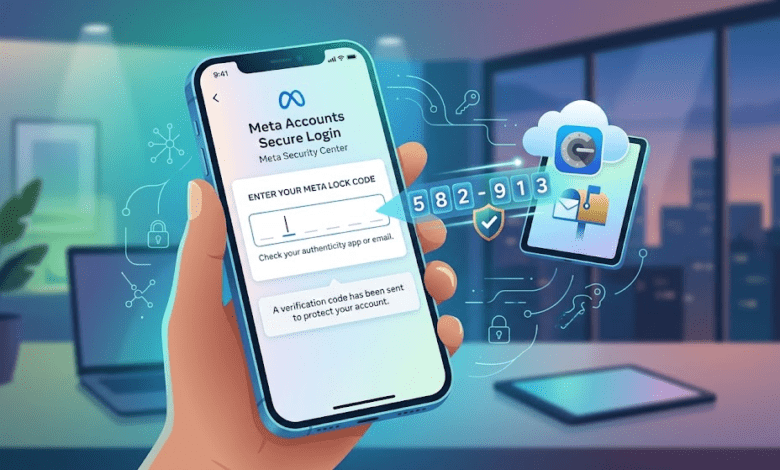
When we talk about meta lock codes, we are usually talking about the extra layer of security on your favorite social media accounts. Imagine these codes like a digital deadbolt for your personal data. They act as a secret handshake between you and your phone or email. Whenever you try to log in from a new device, the system asks for this special code to prove it is really you. Without this code, someone else cannot just guess your password and walk right into your private account. It is one of the most effective ways to stop hackers in their tracks and keep your photos and messages safe.
Why Do You Need Extra Security?
In 2026, online security is more important than ever because we do so much on our phones. Many people use the same password for everything, which is risky. If a hacker gets that password, they could access your email, bank, and social media all at once. Using meta lock codes makes it much harder for them. Even if a bad actor steals your password, they still need that second code sent to your phone. Think of it as having a second key for your house. Even if someone finds your first key, they still cannot get inside because they lack the second one.
How These Codes Work Step-by-Step
The process behind meta lock codes is actually quite simple and fast. First, you set up “two-factor authentication” in your account settings. Once this is active, the system generates a temporary, unique code every time a login attempt happens. You will receive this via a text message, an email, or an authenticator app. You then type this number into the login screen to verify your identity. The entire process takes less than ten seconds. It is a small step that provides a huge amount of peace of mind. It turns a simple login into a secure, locked process.
Common Places You See Lock Codes
You will find that meta lock codes are not just for one specific platform. Almost every major website uses this technology today to protect users. You will see them when logging into your banking portal, your cloud storage, or your favorite shopping sites. Because many hackers look for the easiest targets, having these codes enabled makes your profile much less attractive to them. They want the accounts that are easy to break into. By using these codes everywhere, you are essentially telling hackers to move along to someone else who hasn’t secured their account.
Setting Up Your Protection Today
Getting started with meta lock codes takes just a few minutes of your time. Go to the “Security” or “Privacy” section in your account settings. Look for an option that says “Two-Factor Authentication” or “Login Verification.” Click on that, and follow the simple prompts on your screen. You can choose to have codes sent to your phone number or use a secure app. I personally prefer the app method because it works even if you do not have cell service. Once you finish these steps, your account will be significantly safer than it was before.
What Happens If You Lose Your Code?
Sometimes, you might run into trouble, like losing your phone or not receiving your meta lock codes. Do not panic! Most platforms provide “backup codes” when you first set up security. You should download these or write them down and keep them in a very safe place. If you ever lose your main device, these backup codes will act as a spare key to get you back into your account. If you never saved them, check the “Help” or “Recovery” options on the login screen. Companies are usually very good at helping you prove who you are through email verification.
Avoiding Common Digital Scams
While meta lock codes are great, you must be careful about who asks for them. A real company will never call you and ask you to read your code out loud. If someone contacts you saying they need your code to “fix” your account, it is a scam. Hang up immediately. These criminals want to use your code to steal your account. Always remember that your codes are meant for your eyes only. Never share them with anyone, even if they claim to be from official support. Keeping your code secret is just as important as having it in the first place.
The Evolution of Account Security
The way we handle meta lock codes has changed a lot over the years. In the past, we relied only on long, complicated passwords that were easy to forget. Now, technology focuses on things we have, like our phones, rather than just things we remember. This shift makes it much harder for automated programs to break into accounts. Future updates will likely include even faster methods, like facial recognition or fingerprint scans, to make the process even smoother. However, for now, the traditional code system remains the gold standard for keeping the average user’s data locked up tight.
Why “Helpful Content” Matters Here
I am sharing this information because I want you to feel confident using these tools. When you understand how meta lock codes work, you are less likely to fall for tricks or feel overwhelmed by technology. My goal is to make sure you know exactly how to protect your digital identity without needing to be a computer genius. By breaking this down into simple, manageable steps, I hope you feel empowered to check your own account settings today. Staying safe online should not be a chore; it should be a quick habit that you feel good about doing every single month.
Summary of Security Best Practices
To wrap things up, let’s look at a quick checklist for your digital safety. First, ensure meta lock codes are enabled on all your major accounts. Second, never reuse the same password on different sites. Third, save your backup codes in a secure location, like a physical notebook. Fourth, never give your code to a stranger, no matter what they tell you. Finally, check your connected devices list once in a while to make sure nothing looks suspicious. If you follow these five simple steps, you will be much safer than the average person online.
Comparison of Security Methods
| Security Feature | How It Works | Level of Protection |
| Standard Password | Text-based secret | Low |
| Meta Lock Codes | Temporary numeric code | High |
| Authenticator App | Time-based random code | Very High |
| Hardware Key | Physical USB device | Maximum |
Frequently Asked Questions
1. Are meta lock codes free to use?
Yes! Every major platform offers this as a free security feature to help protect your account.
2. What if I don’t get my code?
Check your spam folder or ensure your phone has a signal. If it still fails, use your backup codes.
3. Do I need to enter the code every single time?
Usually, you can select “Remember this browser,” so you only need the code when logging in from a new device.
4. Can hackers bypass these codes?
It is extremely difficult. They would need access to your phone or your email, which is why your physical devices must be secure.
5. Should I use an app or SMS for my codes?
An authenticator app is generally safer because it does not rely on cell towers which can sometimes be intercepted.
6. Can I use these codes for work accounts?
Absolutely. In fact, most businesses now require employees to use these codes to keep company data safe from leaks.
Conclusion
Taking control of your online security is a powerful step toward a worry-free digital life. By understanding and using meta lock codes, you are building a wall that keeps hackers away from your personal photos, messages, and private info. It is a small action that makes a massive difference. Now that you know how these codes work and how to stay safe, why not check your account settings right now? Protecting your data takes just a few minutes, but the safety it provides lasts forever. If you found this guide helpful, please share it with a friend who might need a little extra help with their own digital security!